Every format, one viewer
PDF, Word, Excel, CSV, PowerPoint and text or Markdown, each in a viewer built for that file type. Old .doc, .rtf and .odt files are converted when you open them.
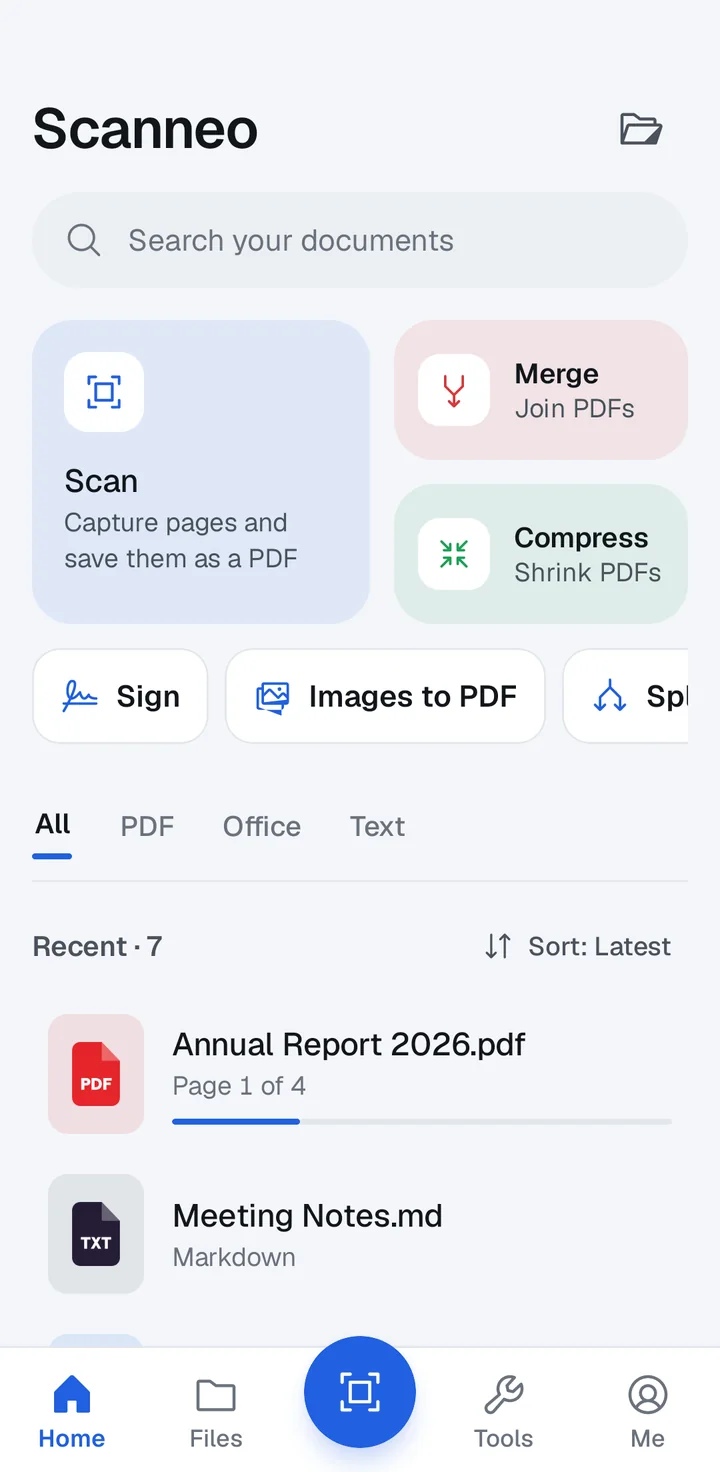
A PDF in one app, a Word file in another, a scanner somewhere else. Scanneo puts them in one Android app that keeps every file on your phone.
Ads sit on top of the page you are trying to read.
AdsMerging two PDFs means uploading them to a stranger’s server.
UploadedWord and Excel files arrive broken on a small screen.
BrokenOpen it, scan it, tidy it, sign it. All inside Scanneo, and none of it leaves your phone.
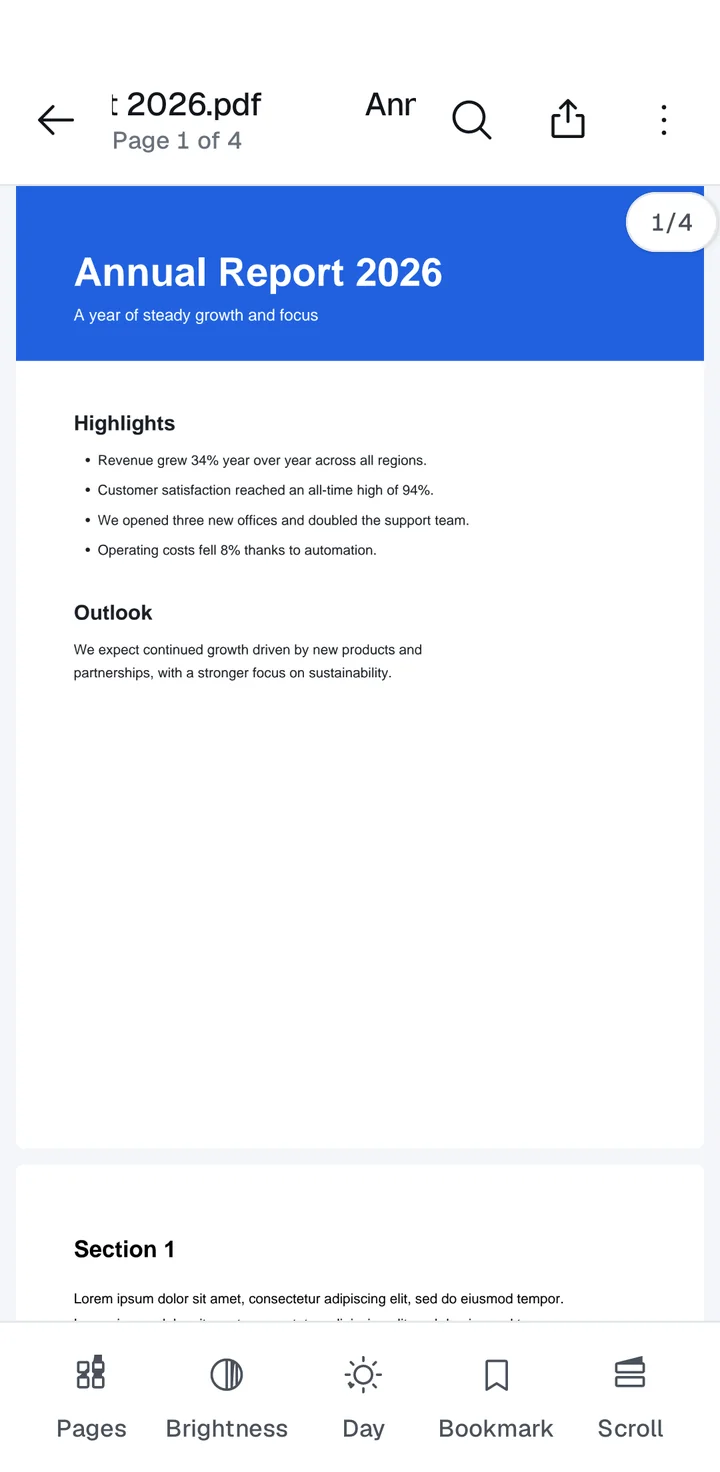
PDF, Word, Excel, CSV, PowerPoint and text or Markdown, each in a viewer built for that file type. Old .doc, .rtf and .odt files are converted when you open them.
Capture, crop and save. Text recognition runs on your phone, so scans stay private.
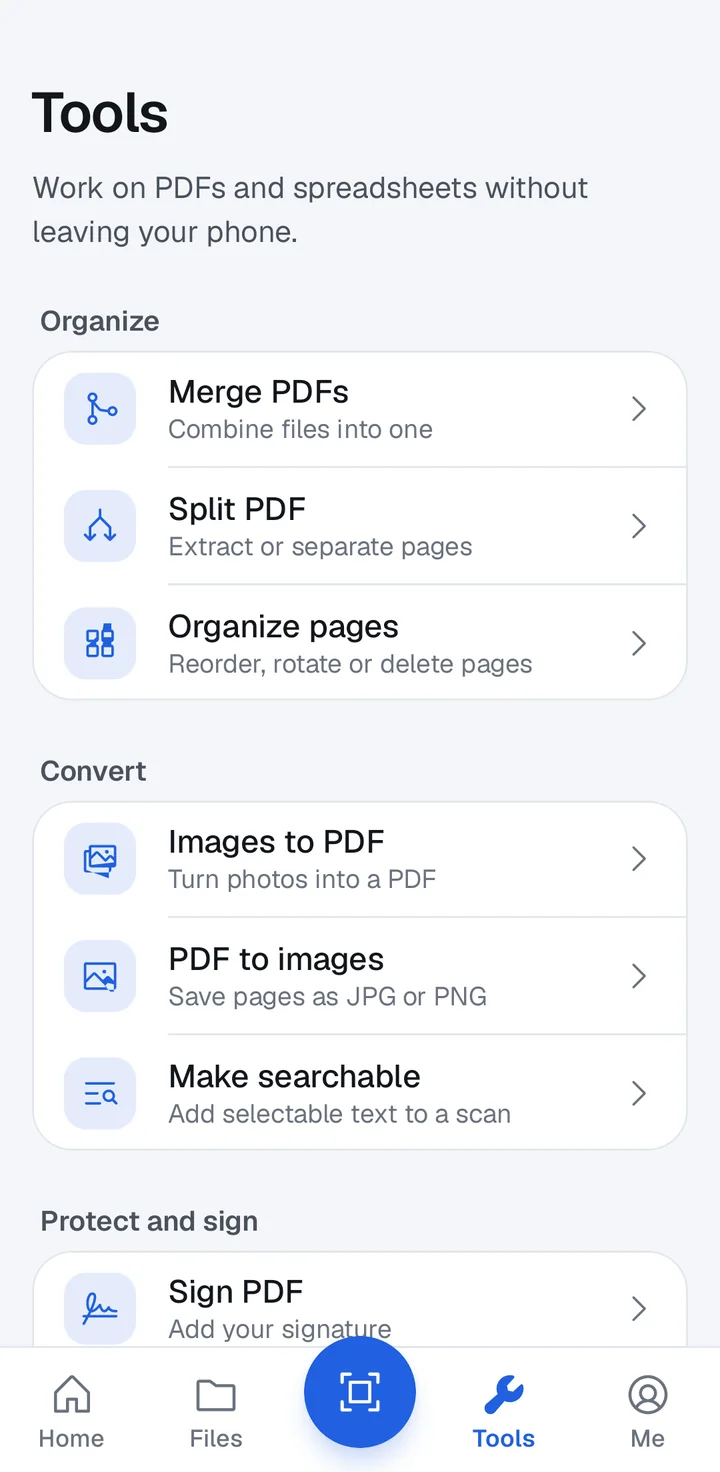
Merge, split, organise, compress, convert, sign and lock. No website, no upload.
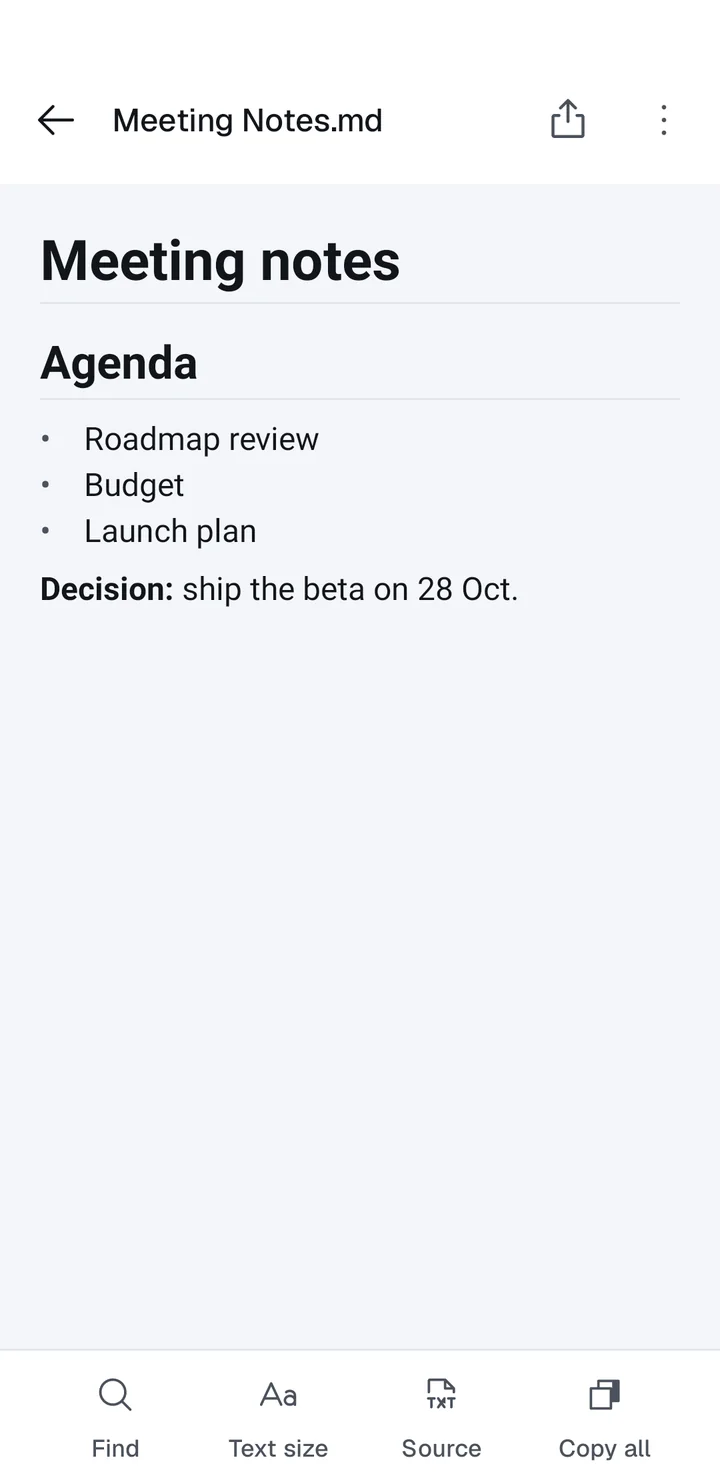
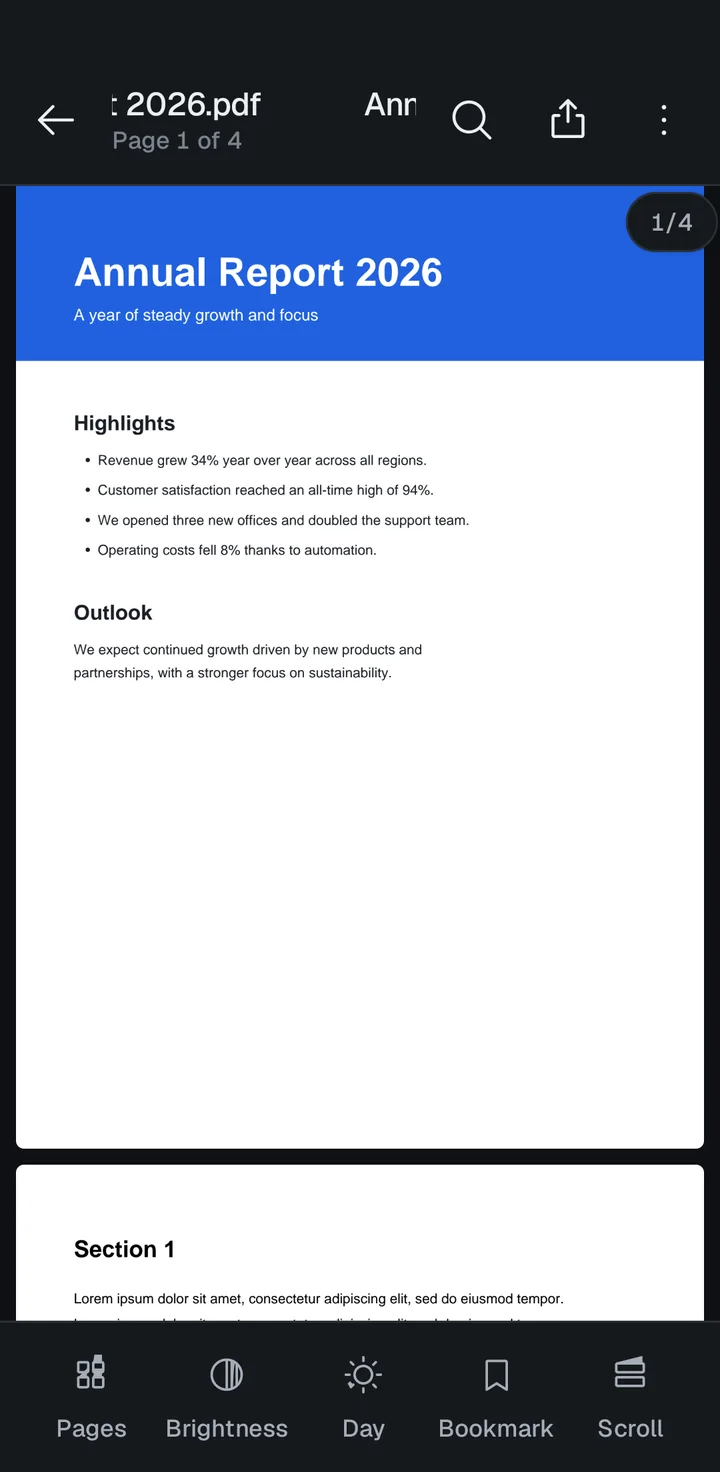
Pages turn at the speed of your thumb. Pick the theme that suits the light you are reading in, and the whole page follows: text, margins and background.
Light, Dark and Sepia themes, plus a night mode for pages. Bookmarks, find in document and a screen that stays on while you read.
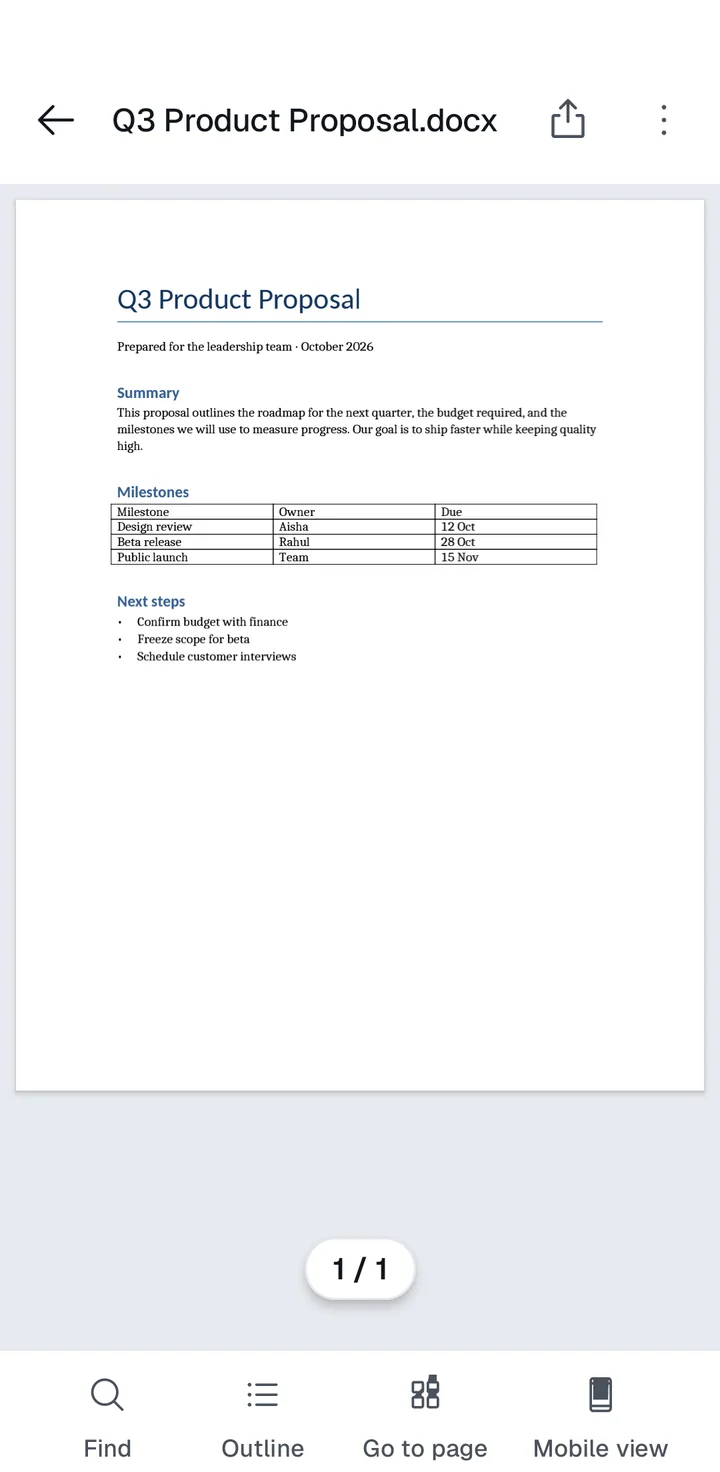
This proposal outlines the roadmap for the next quarter, the budget required and the milestones we will use to measure progress.
Switch between a phone-friendly reading view and the real page layout. Tables and headings stay where the author put them.
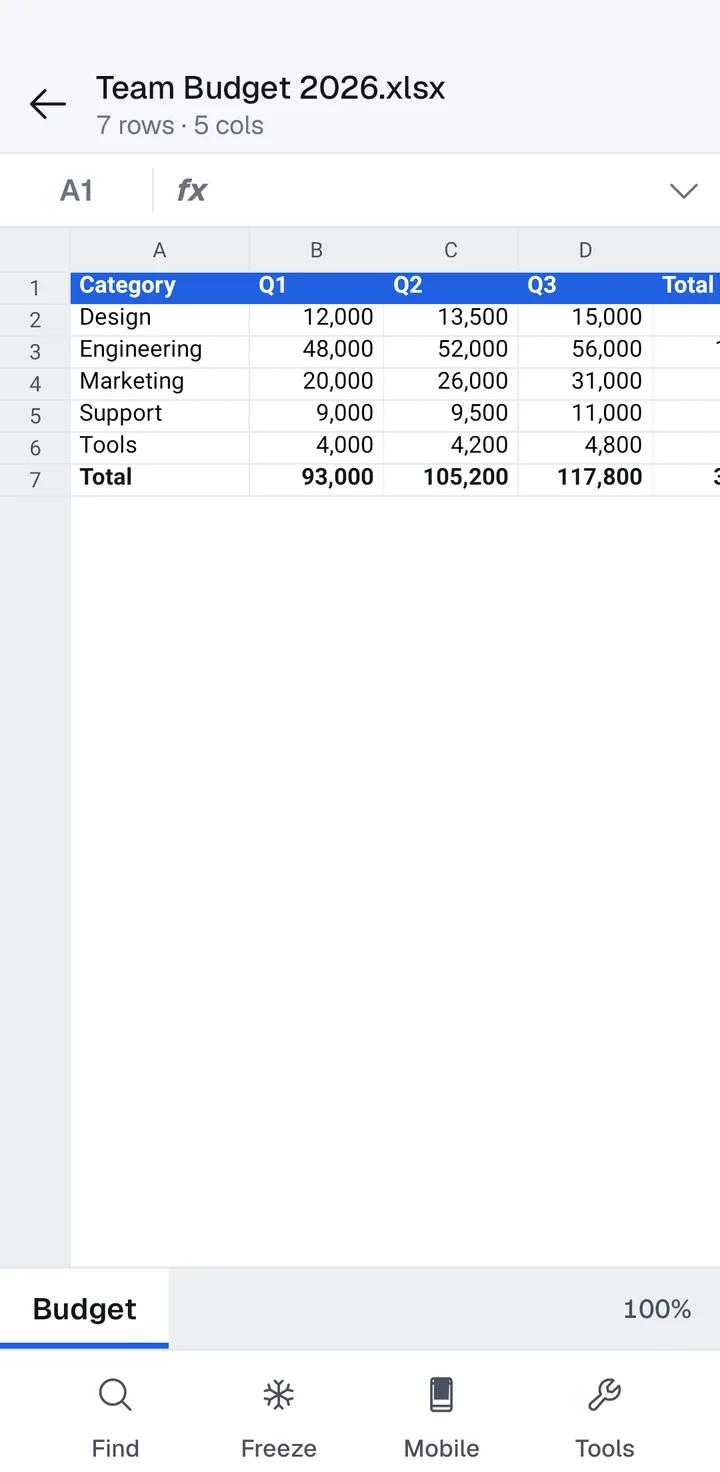
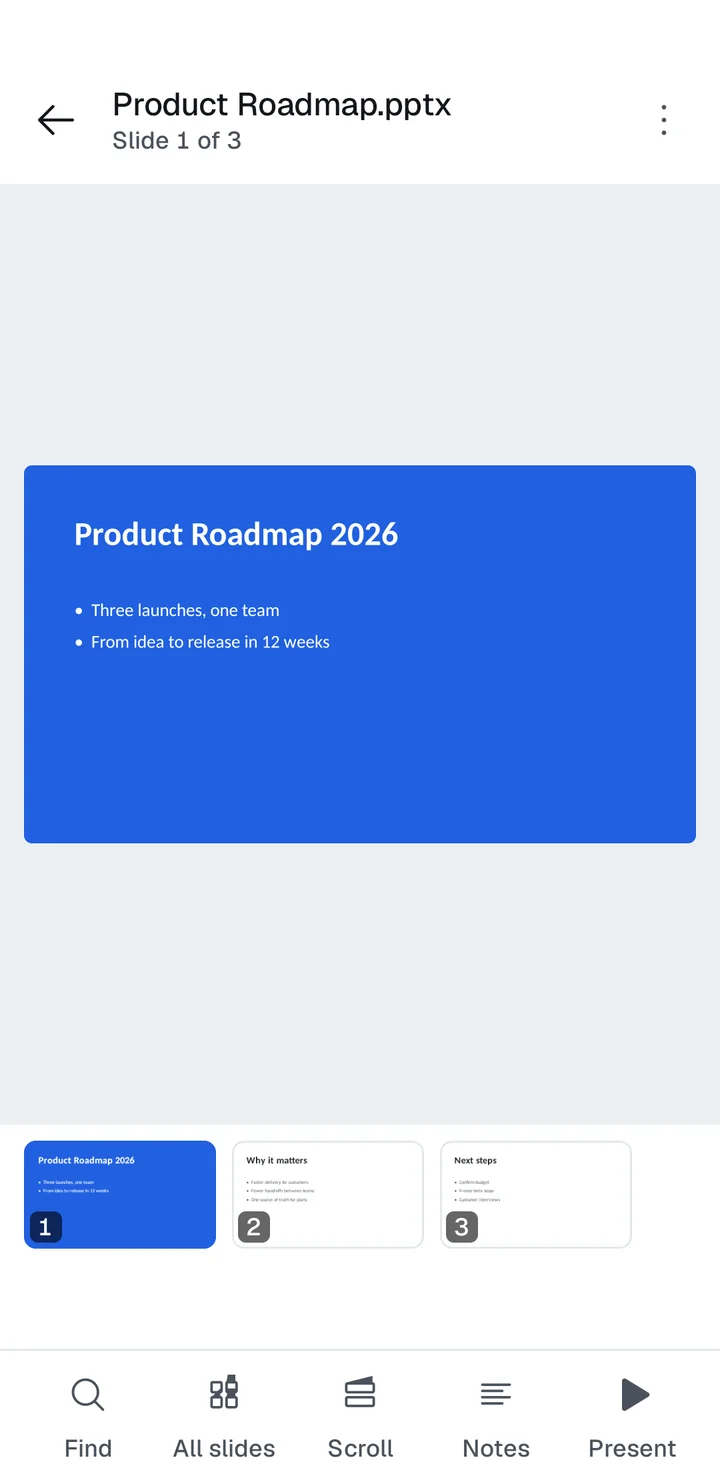
A formula bar and sheet tabs for Excel and CSV. A thumbnail strip, notes and present mode for PowerPoint.
 ScanneoTypical free document apps
The right-hand column describes common patterns among free document apps in general, not any specific app.
Scanning, text recognition, merging, compressing and signing all happen on the device. Here is the whole picture of what does and does not travel.
Reading and organising come first. Editing follows the same rule as everything else in Scanneo: your files stay on your phone.
Make quick changes to a PDF without bouncing between tools.
Fix a typo or finish a draft straight from your phone.
Planned features. Timing and details may change.
Scanneo is free to download. We may add optional paid features later; if we do, they will be clearly labelled and the privacy policy will be updated first.
No. This release contains no ads and no advertising SDK. If that ever changes, the app and the privacy policy will say so before anything is shown.
No. Documents are opened and processed on your device. Scanneo never uploads document contents, file names or file paths.
PDF, Word (.docx, plus .doc, .rtf and .odt which are converted), Excel (.xlsx, .xls) and CSV, PowerPoint (.pptx, .ppt), and plain text or Markdown.
Android 8.0 (API 26) and newer. Scanneo is an Android app; there is no iPhone version.
Soon. We are preparing the listing now. This page will link to it as soon as it is live.
Email codexneo9@gmail.com. We read every message.
Email us to hear the day Scanneo launches, or to tell us what it should do next.